A big 16-inch laptop, or a light 14-inch and a monitor? The smarter home desk
Published 27 October 2026 · updated 28 October 2026 · prices below are checked every week
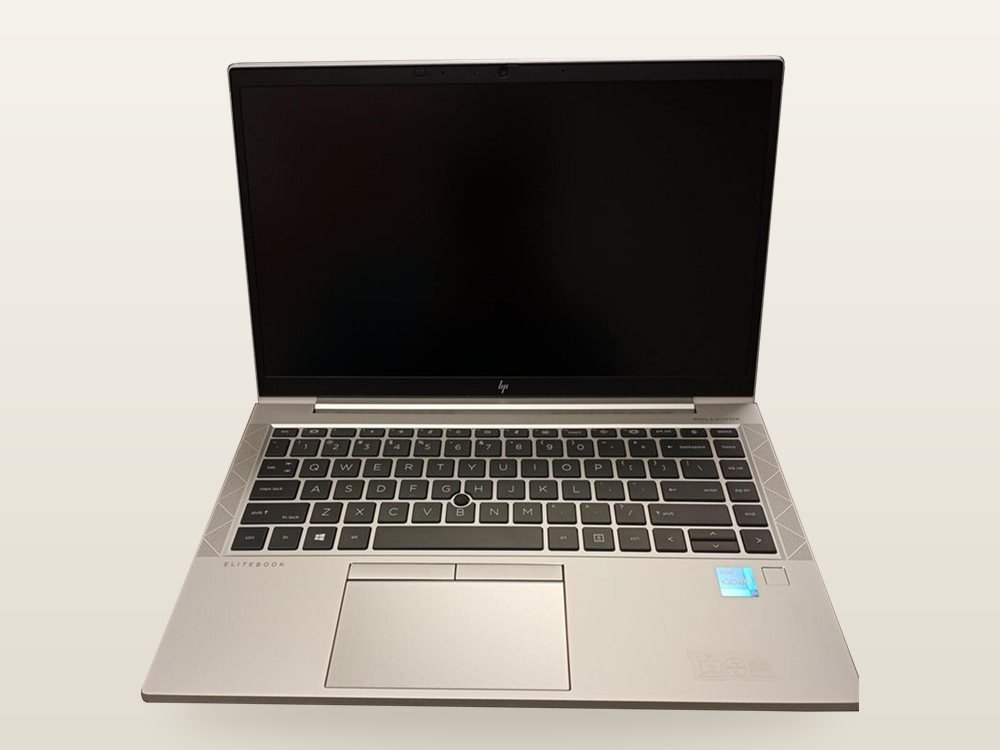
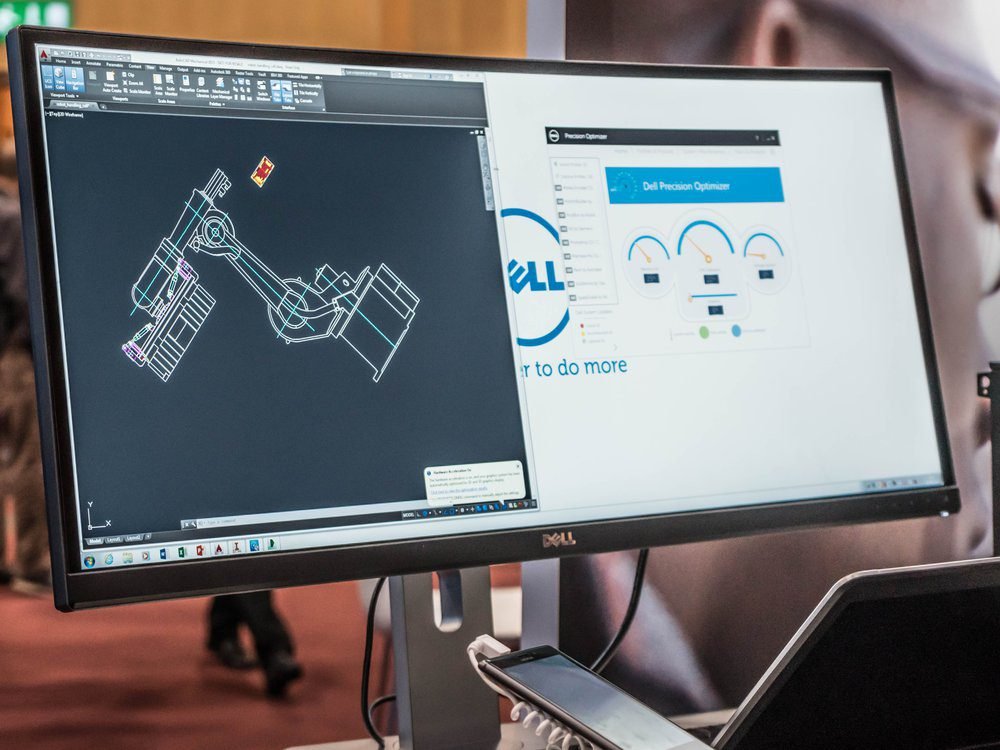
Most people who work or study at home buy a 15.6- or 16-inch laptop, hoping to see more. They get a heavier bag and the same hunch over the desk. A light 14-inch laptop with a monitor beside it often costs the same or less, gives you more than twice the room to work, and lets you sit up straight. Here is the honest maths, and the few cases where one big laptop really is better.
- Lighter bag
- Twice the room
- Screen at eye level
- Often cheaper
The 30-second answer
You carry it most days
Get a light 14-inch laptop and keep a monitor at home. A refurbished business laptop and a 24-inch monitor cost less than one new 15.6-inch laptop.
Get: HP EliteBook 840 G7, refurbished and the Dell S2425HSM monitorYou want one cable at the desk
A USB-C monitor shows the picture, charges the laptop and connects your keyboard and mouse through one cable. Handy with a MacBook Air, which comes without a charger in the box.
Get: Dell P2426HE, USB-C, 100 W with a MacBook Air 13-inch M5No desk at home
If you work on the sofa, at the kitchen table or on the train, a monitor won’t help: the bigger laptop screen is the one you will look at. Choose a light 15-inch.
Get: MacBook Air 15-inch M5, 1.51 kg or the bright Lenovo IdeaPad Slim 3 15Numbers all day
Accounts and spreadsheets go faster with a number pad. Many 15.6- and 16-inch Windows laptops have one; with a 14-inch, add a full-size keyboard on the desk.
Compare keyboards with a number pad ↗The numbers that matter
dots per inch of a Full HD screen at 14 inches and at 15.6 inches. Same picture, bigger and softer dots
Sharpnessthe room on a 24-inch Full HD monitor at normal text size, compared with a 14-inch Full HD laptop, where Windows usually enlarges text to 150%
Space to workless to carry: a 14-inch from our list instead of a 15.6- or 16-inch one, every day
Weightwith a USB-C monitor: picture, charging (65 to 100 W on our list), keyboard and mouse
At the deskThe honest maths: one big laptop or a laptop and a monitor
| Set-up | Screens | You carry | Cost this week |
|---|---|---|---|
| ASUS Vivobook Go 15 | 15.6-inch Full HD | 1.63 kg | £549.99 |
| HP EliteBook 840 G7 (refurbished) + Dell S2425HSM | 14-inch + 24-inch Full HD | 1.33 kg | £468.97 |
| HP OmniBook 7 AI 16 | 16-inch 1920 × 1200 | 1.91 kg | £939.97 |
| ASUS Vivobook 14 + Xiaomi G27Qi | 14-inch + 27-inch QHD | 1.46 kg | £859.98 |
| MacBook Air 15-inch M5 | 15.3-inch | 1.51 kg | £1,369.97 |
| MacBook Air 13-inch M5 + Dell P2426HE | 13.6-inch + 24-inch USB-C | 1.23 kg | £1,469.57 |
Read it row by row: the first two pairs cost less than the big laptop above them, and you carry 300 to 450 g less. The Mac pair costs about £100 more than the MacBook Air 15, which Laptops Direct sells below Apple’s price this week, but you carry 280 g less and get a one-cable desk. The refurbished EliteBook comes with a one-year warranty; the monitors are new. Prices change: the lists further down always show this week’s.
The 15.6-inch trap: same picture, bigger dots
A 14-inch and a 15.6-inch laptop with Full HD screens both show 1920 × 1080 dots. On the bigger screen each dot is simply larger: 141 per inch instead of 157, so text looks a little softer. Windows lets you set text smaller on the bigger screen, which helps a bit, but you never get the room a separate monitor gives you.
Where a big laptop wins
- One screen wherever you sit, with no monitor to buy
- A bigger keyboard, often with a number pad
- Gaming laptops need the bigger body to stay cool
Where it loses
- 280 to 450 g more in the bag, often with a bigger charger
- The screen still sits low: you look down all day
- Full HD looks softer on 15.6 and 16 inches
Set up the desk so it doesn’t hurt
A laptop screen is fixed to its keyboard, so one of the two is always in the wrong place. One ergonomist’s simple rules:
- Screen at arm’s lengthThe monitor about an arm’s length away, with its top at about eye level.
- Main screen straight aheadPut the screen you use most in front of you, the laptop to one side, raised to the same height on a stand or a few books.
- Keyboard and mouse in front of youElbows just above the keyboard and wrists free. With the laptop raised, a separate keyboard and mouse are a must.
- MoveGet up and move about every so often: no desk, however good, makes eight hours of sitting healthy.
One big screen beats two side by side: one software developer who tried seven monitor layouts found a single good monitor straight ahead, with windows split in halves, the most comfortable. Turning your head to a second screen all day is what tires your neck.
How the one-cable desk works
- The budget way: HDMI and the chargerA Full HD monitor from £88 plugs into the laptop’s HDMI port. You plug in two cables when you sit down, and save £100 or more.
- The tidy way: USB-C with chargingKeyboard, mouse and network cable stay plugged into the monitor. You connect one USB-C cable and the laptop shows the picture and charges. The Dell P2426HE gives up to 100 W, enough for almost any 14-inch laptop.
- Check the laptop’s USB-C port firstIt must carry a picture: look for “DisplayPort”, “DP Alt Mode”, Thunderbolt or USB4 in the specifications. MacBooks and the EliteBook 840 G7 do; some cheaper laptops only charge or copy files through USB-C. If yours doesn’t, use HDMI.
4 mistakes to skip
- Buying 15.6 inches to “see more”With Full HD it shows the same 1920 × 1080 dots as a 14-inch, only bigger. A monitor adds far more room.
- A monitor stand that only tiltsIf the screen is too low, you still hunch. The Dell S2425HSM moves up and down for £31 more than the SE2426H, which only tilts. Otherwise, add a monitor arm or a riser.
- Full HD on 27 inchesIt looks a little soft up close. At 27 inches choose QHD (2560 × 1440); at 24 inches Full HD is sharp.
- Forgetting the keyboard and mouseWith the laptop raised or closed, you need them. A basic wireless set costs far less than the neck ache. Compare keyboard and mouse sets ↗
Our verdict
If you have a desk at home, buy the lighter 14-inch laptop and put the savings into a monitor. You get more than twice the room, a straighter back and a lighter bag, usually for the same money.
If you don’t, or you work all day on the sofa, buy one bigger laptop with a sharp, bright screen, and take its extra weight as the price of having everything in one place.
This week’s prices
Monitors on our list
| Monitor | Best for | Price this week |
|---|---|---|
| Dell SE2426H, 24-inch Full HD | The lowest cost; HDMI only, the stand tilts | See it |
| Dell S2425HSM, 24-inch Full HD | Speakers and a stand that moves up and down | See it |
| Dell P2426HE, 24-inch Full HD, USB-C | One cable charges the laptop (100 W); network socket | See it |
| Xiaomi G27Qi, 27-inch QHD | Lots of room for little money; HDMI or DisplayPort | See it |
| Dell S2725DC, 27-inch QHD, USB-C | Lots of room and one cable (65 W) | See it |
New light laptops, 1.5 kg or less
Refurbished business laptops
Not sure which suits you? Answer four quick questions →
Quick questions
Can I close the laptop and use only the monitor?
Yes. On Windows, set what closing the lid does to “Do nothing” when plugged in. On a Mac, closed-lid use works when the laptop is on power and you have a keyboard and mouse connected.
Do I need a docking station?
Not with a USB-C monitor that has USB ports: it does the docking station’s job. With an HDMI monitor, you plug in the HDMI cable and the charger.
24 or 27 inches?
24-inch Full HD is sharp at arm’s length and fits a small desk. At 27 inches, choose QHD (2560 × 1440), or text looks soft. Both fit easily beside a 14-inch laptop.
Will my laptop work with any monitor?
Almost always through HDMI. For one-cable USB-C, the laptop’s USB-C port must carry a picture: check its specifications for DisplayPort, Thunderbolt or USB4.
Is a 14-inch laptop too small to work on all day?
Away from the desk it is fine for documents, email and browsing. For long days at home, the monitor does the heavy lifting.
Try the free calculator: Compare physical screen sizes and pixel density →