Which computer for AI? ChatGPT, local LLMs and AI images, explained
Published 27 October 2026 · prices below are checked every week
For ChatGPT, Claude, Gemini or Copilot you don’t need a special computer: they run on huge servers, and your laptop only shows the answers. A special computer matters only if you want AI to run on your own machine: private, offline and without a monthly bill. Then two things decide everything, and neither is the “AI PC” sticker.
- Online AI: any decent computer
- Local AI: memory first
- AI images: NVIDIA
- “AI PC” sticker: ignore it
The 30-second answer
You use ChatGPT, Claude or Copilot
Any good laptop with 16 GB does it, because the AI runs online. Spend on a nice screen, keyboard and battery instead.
Get: ASUS Vivobook 14You want a private AI at home
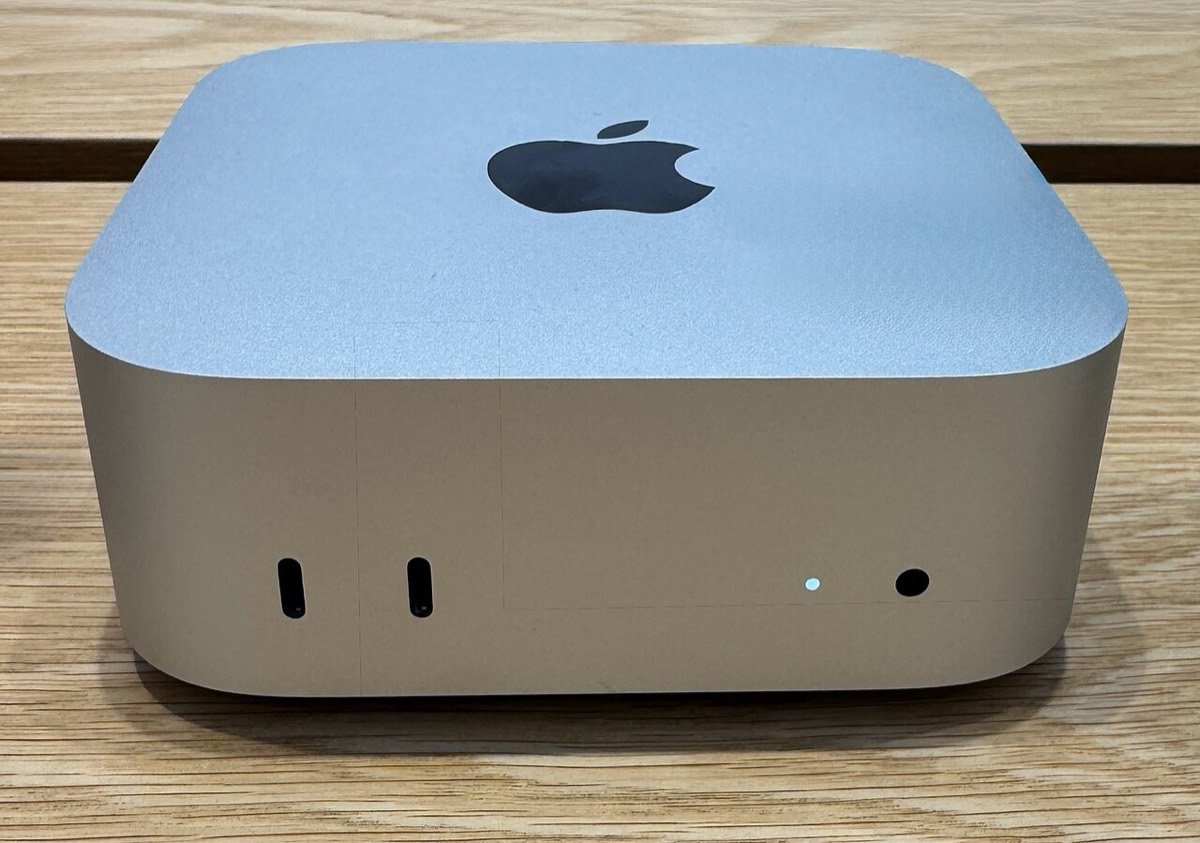
Run an LLM on your own computer: a Mac mini with 32 GB holds models good enough for writing, documents and code, and nothing leaves the house.
Get: Mac mini M6, 32 GBYou make AI images or video
NVIDIA graphics are the fastest and best supported. Our picks have 8 GB of graphics memory: fine for many image models, tight for the newest big ones.
Get: Medion Recon P45, RTX 5060You want the biggest models
Memory is everything: the Mac mini M5 Pro with 64 GB runs 70B models that no 8 GB graphics card can hold.
Get: Mac mini M5 Pro, 64 GBThe “AI PC” sticker: what it really means
Many new laptops carry an NPU, a small chip part made for AI. Microsoft’s “Copilot+ PC” label asked for an NPU of 40 TOPS (trillion operations a second), 16 GB of memory and 256 GB of storage.
What it does
Background blur and eye contact on video calls, live captions with translation, image tools in Paint and Photos, and Recall, which searches what you’ve seen on screen. Handy extras, done quietly on little power.
What it doesn’t
Few apps use the NPU. Serious local AI, such as LM Studio, runs on the graphics chip, and Microsoft now lets developers run AI on graphics chips and processors as well. In September 2026 Microsoft and some makers began dropping the Copilot+ label.
Our verdict
A nice bonus, not a reason to pay more. If you want it anyway, the Samsung Galaxy Book5 Pro (47 TOPS) and the ASUS Vivobook S14 OLED (50 TOPS) have it. On a Mac, Apple Intelligence works on every Mac with an M chip.
Get: Samsung Galaxy Book5 Pro 14Running an LLM on your own computer
Two numbers decide everything, and both are about memory:
The whole model must fit in fast memory the graphics can reach, with room left for your conversation. If it doesn’t fit, it barely runs
CapacityFor every word, the computer reads the whole model again. Top speed is roughly memory speed ÷ model size
BandwidthOne big shared memory: holds big models, writes more slowly. A Mac mini M6 reads 170 GB/s, the M5 Pro 307 GB/s
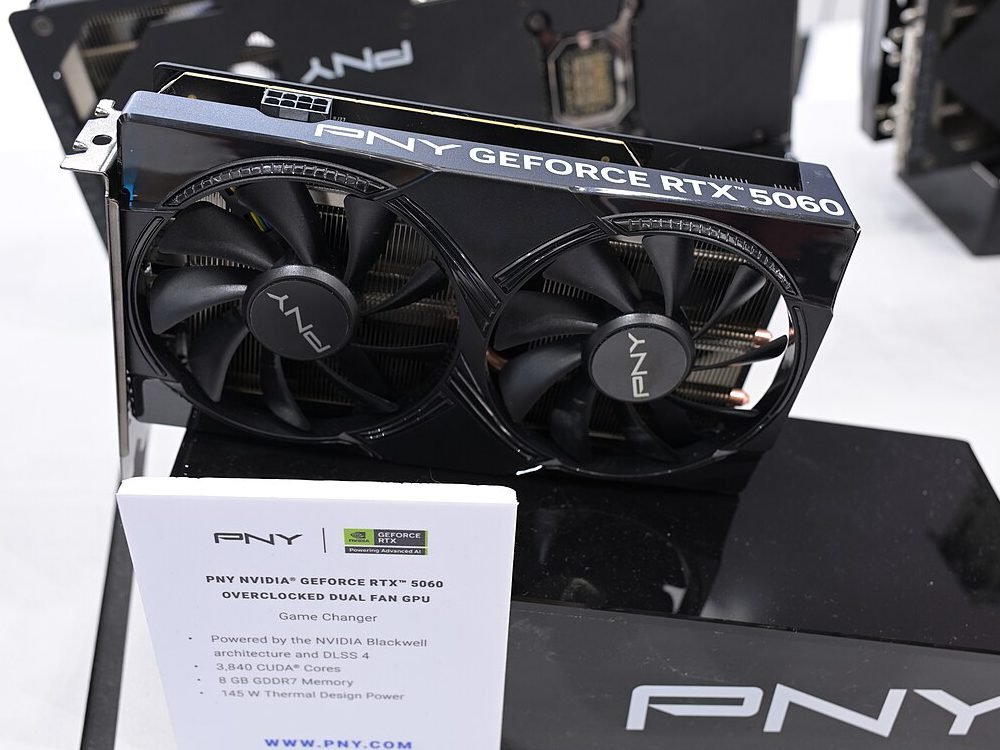
Big and steadyVery fast graphics memory, but little of it: a desktop RTX 5060 reads 448 GB/s from only 8 GB
Small and fastWhat that means: by the simple formula, an RTX 5060 flies with small models, but a 14B model doesn’t fit in its 8 GB. One test ran the same small model from graphics memory and then from normal memory: 151 against 8 tokens a second. A Mac mini is slower per token but holds much bigger models. Real speeds are usually about four-fifths of these tops; one reviewer finds about 35 a second very usable and 50 or more almost instant.
How much memory for which model
| Memory | What runs well | Good for |
|---|---|---|
| 8 GB graphics (RTX 5050, 5060) | Models up to about 8B | Quick answers, summaries, simple code help, very fast |
| 16 GB Mac | Models up to about 8–12B | Summaries, translation, describing photos |
| 24 GB Mac | 14B models and gpt-oss 20B (14 GB) | A capable everyday assistant |
| 32 GB Mac | 27–35B models (16–20 GB) | Writing, your own documents, a coding helper |
| 64 GB Mac | 70B models (about 43 GB) | Stronger reasoning and long reports |
A Mac lets its graphics use only part of the memory: one tester measured 26.8 GB on a 32 GB Mac mini M6, and 24 GB Macs give about 17 to 19 GB. Our Mac mini M6 guide goes deeper.
Room first, speed second
One tester gathered owners’ results for the Mac mini M6 with 32 GB and the faster M5 Pro with 24 GB:
What that means: on a model that fits both, the M5 Pro’s faster memory wins. On a popular model that needs more than 24 GB, the cheaper chip with more memory is three times faster. Many new models are “mixtures of experts” that use only a few billion of their settings per word, so they run fast on a big, slower memory. Buy for the biggest model you want, plus room.
Good enough now
One developer who switched says local models now handle about 80% of their daily coding: autocomplete, routine code and reviews. The hardest many-step jobs still go better with the top online models.
The app matters too
The same model on the same computer ran six times faster in one app than another. Start with LM Studio or Ollama, which are free and tuned for home computers.
Will it save money?
Probably not: a £1,799 Mac mini costs as much as about seven and a half years of a £20-a-month AI plan. Buy it for privacy, working offline and unlimited use.
AI images and video
Image and video models lean on the graphics chip even more, and NVIDIA is the best supported. The free app ComfyUI is the usual way in; Macs can make images too, more slowly.
8 GB of graphics memory
Runs popular image models such as SDXL, and slimmed-down versions of newer ones like Flux. This is what our RTX 5050 and 5060 picks have.
12 to 16 GB
Image-making guides call 12 GB the practical minimum for the newest big models, and 16 GB comfortable. Look for cards like the RTX 5060 Ti 16 GB if images are your main reason to buy.
Video
AI video needs even more memory and time. Treat 8 GB as a place to learn, and expect to wait.
An AI helper that works all day
Agents that answer emails, draft posts or watch your files need a computer that stays on. A Mac mini is quiet and sips power, which is why it has become the favourite box for this. Which Mac mini, and how it can earn its keep →
Our picks
Everyday AI on a laptop
For online AI, any good 16 GB laptop. The Vivobook 14 is the value pick; a MacBook Air adds Apple Intelligence and runs small local models.
Get: ASUS Vivobook 14 or MacBook Air M5A private AI box
The Mac mini M6 with 32 GB and 1 TB: room for 30B-class models and their files. The 24 GB version suits 14B models and gpt-oss 20B.
Get: Mac mini M6, 32 GB or 24 GBBig models
The Mac mini M5 Pro with 64 GB: fast memory and room for 70B models.
Get: Mac mini M5 Pro, 64 GBNVIDIA at a desk
The Medion Recon P45 pairs an RTX 5060 with 32 GB (wired network only). The Acer Nitro 20 is cheaper with 16 GB.
Get: Medion Recon P45 or Acer Nitro 20NVIDIA you can carry
The Lenovo LOQ 15 has an RTX 5050 with 8 GB, an 8-core Ryzen 7 and a 2-year guarantee at John Lewis. At 2.1 kg it is best on a desk.
Get: Lenovo LOQ 15, RTX 5050A 50 TOPS “AI PC”
The ASUS Vivobook S14 OLED: a strong NPU, an OLED screen, a 70 Wh battery and 1 TB, for everyday AI features.
Get: ASUS Vivobook S14 OLED5 mistakes to skip
- Paying extra for the AI stickerAn NPU powers a few Windows features. It doesn’t make ChatGPT faster, and serious local AI ignores it.
- Buying a fast chip with too little memoryA model that doesn’t fit runs at a crawl. Room first, speed second.
- Expecting 8 GB of graphics memory to do everythingIt’s great for small models and many images, but 14B models and the newest image models don’t fit.
- Skimping on storageModels are 5 to 20 GB each and Mac storage can’t be upgraded. Choose 512 GB at least, 1 TB if you collect models.
- Buying hardware to save on subscriptionsA £20-a-month plan takes years to cost as much as an AI computer. Buy local AI for privacy and freedom, not to save money.
Our verdict
For most people, AI needs no special computer: any good 16 GB laptop runs ChatGPT, Claude and Copilot perfectly.
For AI on your own machine, buy memory first: a Mac mini with 32 GB is the easiest private AI box, and 64 GB opens up the big models. For AI images and video, an NVIDIA graphics card is still the way, ideally with more than 8 GB.
This week’s prices
Desktops with 24 GB or more
Computers with NVIDIA graphics
Not sure which suits you? Answer four quick questions →
Quick questions
Do I need an AI PC to use ChatGPT or Copilot?
No. They run on the companies’ servers, so any computer with a browser works. An NPU only speeds up a few built-in Windows features.
Is a local LLM as good as ChatGPT?
For everyday writing, summaries and simple code, the best 27–35B models come close. For hard, many-step tasks the top online models are still ahead.
Is local AI really private?
Yes: the model runs on your computer and your questions and files stay there. Check the app’s settings so nothing is sent online.
What’s the cheapest way to try local AI?
Install LM Studio or Ollama on the computer you already have and try a small 4B to 8B model. If you like it, you’ll know how much memory to buy.
Mac or NVIDIA for local AI?
A Mac for big language models, quietly and with no setup; NVIDIA for speed with smaller models, and for AI images, video and training your own models.