MacBook + Mac mini: two Macs that work as one (and your iPhone joins in)
Published 24 October 2026 · prices below are checked every week
A Mac mini that never switches off at home, a light MacBook in your bag, and an iPhone in your pocket. Set up right, they behave like one computer. Here is which MacBook to pair, how to connect everything, and the mistakes to skip, from people who work this way every day.
- Screen Sharing is built in
- Swipe between the two
- Same files on both
- Reach it from anywhere
- iPhone too
Why two Macs beat one
cables to unplug when you leave the desk
How owners set it upsmooth control of the Mac mini from your MacBook
Applethe Mac mini keeps working while the laptop sleeps in your bag
Always onMacBook Air battery, because the heavy work stays at home
Apple, video playbackOne owner got tired of plugging a laptop into drives, a card reader, a screen, a printer and Ethernet every morning, and unplugging it all again. Now the Mac mini stays wired at the desk and the MacBook Air only travels. A filmmaker who uses both calls them a perfect complement: a desktop that does the heavy lifting and the best travel laptop for the money. Another creator works the same way and can pick up either Mac at any moment and carry on.
Does the MacBook need the same power? No.
Put your money where the heavy work happens. If the Mac mini edits the video, runs the AI models or the agents, the MacBook only needs to be light, sharp and long-lasting. Buy for what you do away from home:
A window and light work
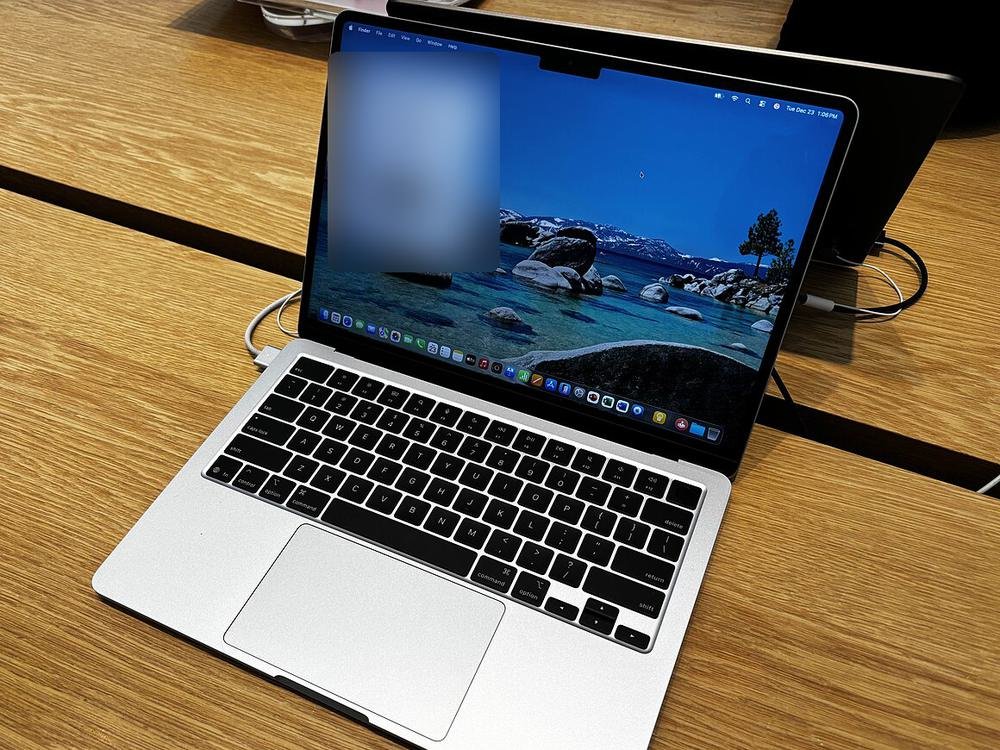
Email, documents, video calls, and reaching the Mac mini for everything heavy. The 13-inch Air weighs 1.23 kg and lasts all day.
Get: MacBook Air 13-inch, 16 GBCreating on the road
Video editors find the 13-inch screen small for editing and grading. The 15-inch Air gives a much bigger canvas for 280 g more.
Get: MacBook Air 15-inch, 16 GBHeavy work with no fast internet
On trains, on location, abroad: the Mac mini may be out of reach. The MacBook Pro has a fan for long exports, a brighter screen, HDMI and an SD card slot.
Get: MacBook Pro 14-inchAI at home
If AI models run on the Mac mini, spend on its memory (32 GB) and keep the MacBook basic. The laptop just sends the questions.
Get: Mac mini, 32 GB and MacBook Air 13-inchWhat about the MacBook Neo (from £699, or £599 with Apple’s student pricing)? As a screen for the Mac mini it would do the job, but it has 8 GB of memory that can’t be upgraded. On its own that is tight for work, which is why our picks start at 16 GB.
MacBooks in our catalogue this week, cheapest first:
Six ways they work as one
Your MacBook becomes the Mac mini’s screen
The Screen Sharing app is built into every Mac. In High Performance mode it runs at up to 60 frames a second, sends the Mac mini’s sound to your MacBook, and can open two virtual screens even when no monitor is plugged in. Both Macs need Apple silicon and a fast link: Apple recommends 75 Mbps for one 4K screen, ideally by cable.
Swipe between the two
Put the Screen Sharing window in full screen and it becomes its own space. Swipe left or right with three or four fingers on the trackpad, and you jump between your MacBook and the Mac mini as if they were two desktops.
One keyboard for both
At the desk, Universal Control lets the MacBook’s trackpad and keyboard slide over to the Mac mini’s monitor, and back. Both Macs need the same Apple Account, Wi-Fi, Bluetooth and Handoff on, and must be within 10 metres.
The same files on both
A popular trick: keep everything in your Documents folder and let iCloud Drive sync it, so any file is on either Mac. Big raw video stays out of iCloud and lives on a drive instead.
Carry a project on a fast drive
Video makers keep their Final Cut library on a Thunderbolt SSD. Quit, unplug, plug it into the MacBook, carry on editing.
The Mac mini backs up the MacBook
Share a folder or drive on the Mac mini as a Time Machine destination, and the MacBook backs itself up over the home network with nothing plugged in.
Reach the Mac mini from anywhere
Install the free Tailscale app on the Mac mini, the MacBook and your iPhone, and sign in with the same account. They then find each other on a private network wherever you are, and Screen Sharing works from a café or a hotel as it does at home.
Safer than the old way: you don’t need to open ports on your router, which would expose the Mac mini to the whole internet.
Your iPhone joins in
Control the Mac mini from your phone
The iPhone has no built-in Screen Sharing app, so use a remote-desktop app such as Screens or RealVNC Viewer. Over Tailscale it works from anywhere.
Your files in the Files app
Turn on File Sharing on the Mac mini. On the iPhone, open Files, tap the ⋯ menu, choose Connect to Server and type the Mac mini’s address: its folders appear like any other.
Your iPhone on your Mac’s screen
iPhone Mirroring shows your iPhone in a window on the MacBook or Mac mini, with its apps and notifications, while the phone stays locked in your pocket or bag nearby. It needs iOS 18 and macOS Sequoia or later, and the same Apple Account.
Message your AI helper
AI agents running on the Mac mini, such as OpenClaw, take instructions by chat message, so you can hand out jobs from your phone and find them done when you’re back.
And the everyday magic works across all three: copy on one and paste on another, AirDrop files, carry on a web page or an email with Handoff, and use the same passwords everywhere.
Set up the Mac mini once
- Use a screen, keyboard and mouse for the first set-upKeep them nearby until you have reached the Mac mini from the MacBook at least once.
- Stop it sleepingSystem Settings › Energy: turn on “Prevent automatic sleeping when the display is off” and “Wake for network access”.
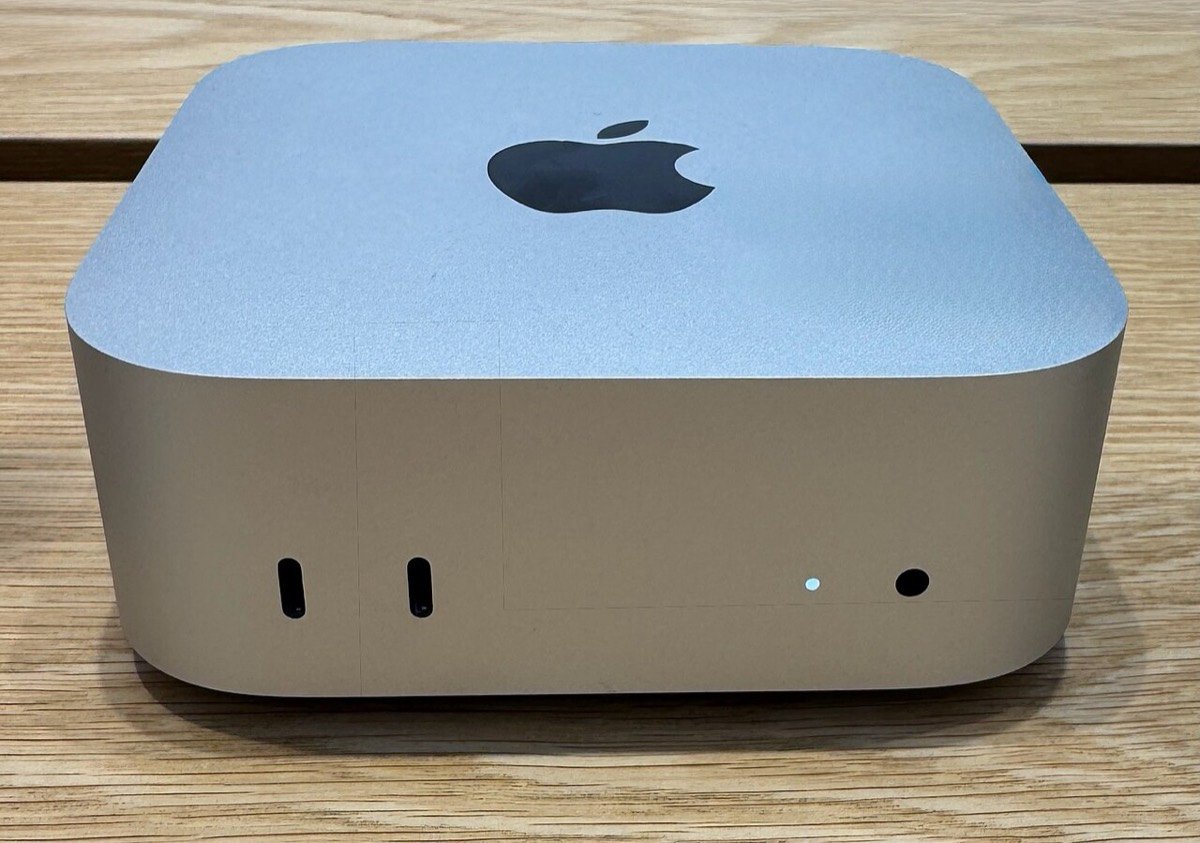
- Bring it back after a power cutIn Energy, set “Start up when power is connected” to Always (macOS Tahoe 26.5 or later). Handy, because the M6 Mac mini’s power button is underneath.
- Turn on sharingSystem Settings › General › Sharing: turn on Screen Sharing and File Sharing, and allow only your own user.
- Plug it into the routerAn Ethernet cable makes screen sharing smoother than Wi-Fi.
- Add Tailscale to all three devicesThen test from your phone’s mobile data, away from home Wi-Fi.
- Test a restart before you rely on itIf FileVault encryption is on, the Mac mini may wait for its password on its own screen after a restart before you can reach it remotely.
4 mistakes to skip
- Buying the same power twiceA powerful MacBook and a powerful Mac mini means paying for speed you use in one place. Decide which one does the heavy work.
- Sharing the screen over weak Wi-FiHigh Performance mode wants a fast, steady connection. Put the Mac mini on a cable and the MacBook near the router.
- Opening ports on the routerUse Tailscale instead, so the Mac mini isn’t visible to the whole internet.
- A 256 GB MacBook with no plan for filesOwners of 256 GB models often end up with a drive plugged in all the time. Choose 512 GB, or plan on iCloud Drive and an SSD from day one.
Our verdict
The best value pair: a Mac mini with the memory your heavy work needs, and a MacBook Air with 16 GB and 512 GB for everything else. Add Tailscale and Screen Sharing, and you carry the power of your desk in a 1.23 kg laptop.
One computer is enough if you rarely leave the desk (a Mac mini and a good monitor) or rarely sit at one (a MacBook, and a 15-inch if it is your only screen).
Choosing the Mac mini half? Read our Mac mini M6 guide →
Quick questions
Can my MacBook be a plain monitor for the Mac mini, with a cable?
Not like a normal monitor: Macs no longer accept a video signal in. Screen Sharing does the same job over your network, or over a Thunderbolt cable between the two Macs.
Will it work with an older Intel MacBook?
Standard Screen Sharing, yes. High Performance mode needs Apple silicon on both Macs and macOS Sonoma or later.
Do both Macs need the same Apple Account?
For Universal Control, iCloud Drive, Handoff and iPhone Mirroring, yes. Screen Sharing only needs the Mac mini’s user name and password.
Is Tailscale free?
Its Personal plan is free for personal use, which covers a Mac mini, a MacBook and an iPhone.
What does it cost to leave the Mac mini on?
An M6 Mac mini uses about 2.4 W when idle, roughly £6 a year at the October 2026 price cap. The details are in our Mac mini guide.